Published ahead of launch. We're not open for subscriptions yet, but here is exactly what setup looks like. We checked these steps and pictures against ChatGPT on , on a Plus plan, and the full sign-up will be confirmed against the live service before subscriptions open. If a menu name in your app looks a little different, that is normal.
Before you start
- Adding a custom MCP server needs a paid ChatGPT plan; it was checked on Plus. No developer-mode switch is needed in the current version.
- Once we open, you will need a 9to95 subscription and account. The connector signs in to that account; it does not sell anything and shows no prices.
Steps
- Open ChatGPT in a browser on a computer and go to Settings, then Plugins (under Integrations). Choose Browse directory.
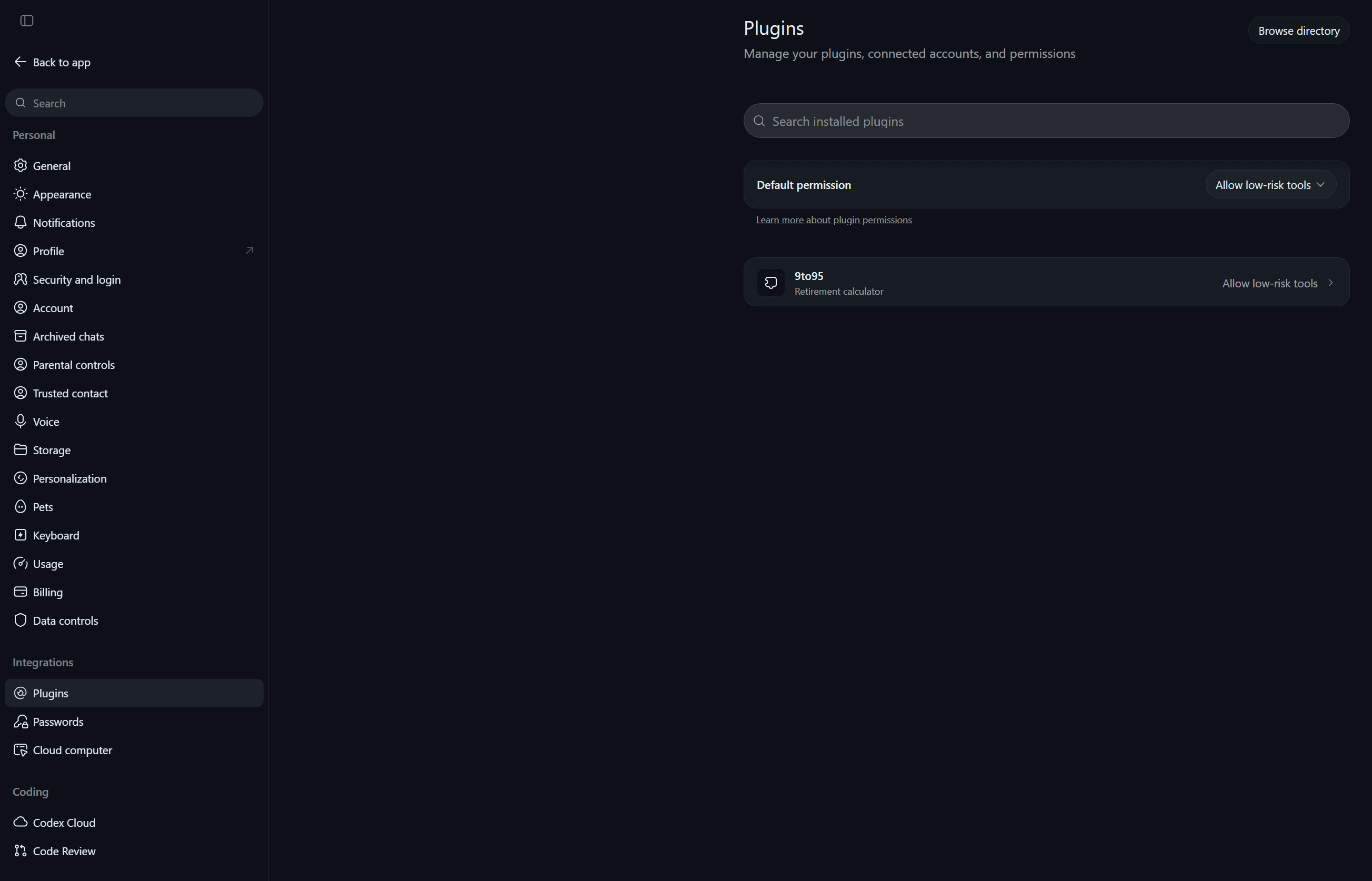
- On the Plugins page, choose Add at the top right, then Add custom MCP server.

- Name it 9to95 and paste the connector address under Connection, with Server URL selected. It will be published here when subscriptions open. Leave Authentication on OAuth and leave Advanced OAuth settings alone, since the connector registers itself. ChatGPT warns that custom MCP servers introduce risk and asks you to tick I understand and want to continue. That warning appears for every custom server; OpenAI has not reviewed ours. Tick it if you are content with that, then choose Create as a plugin.
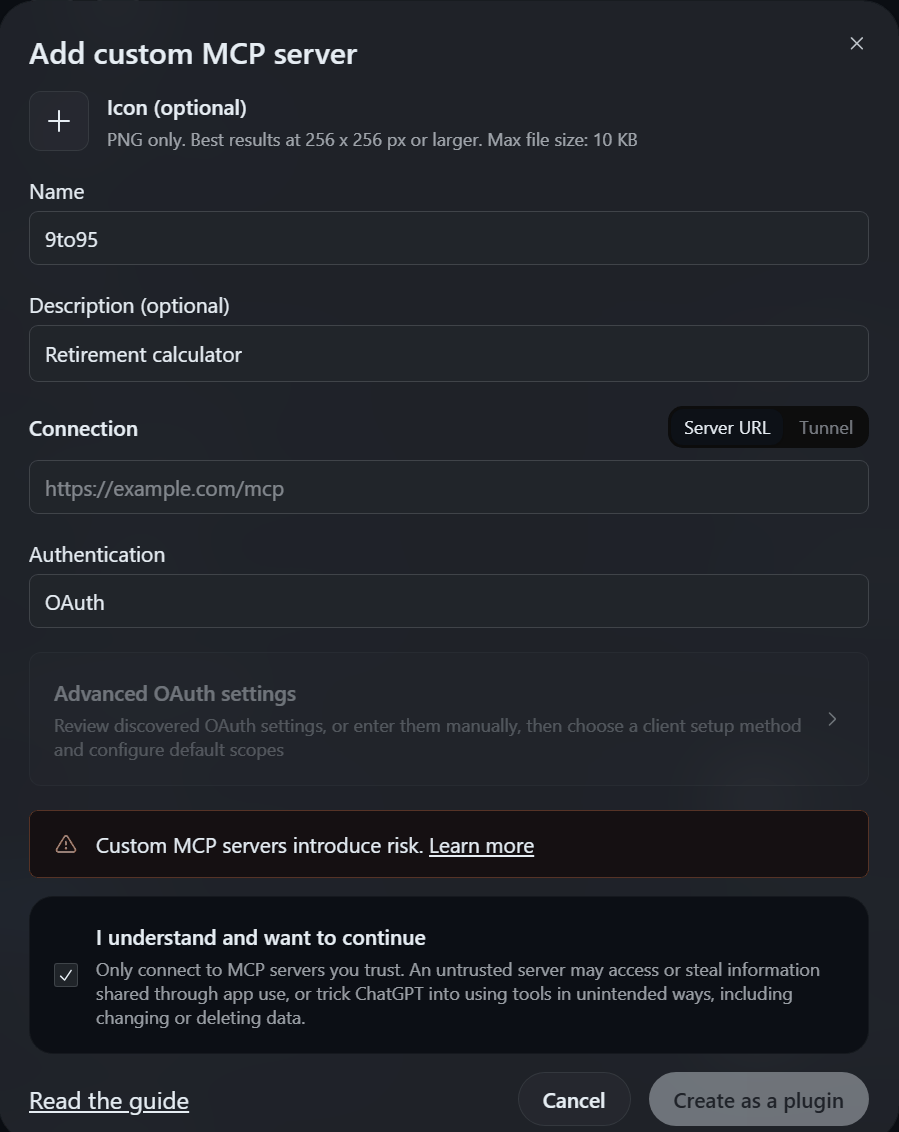
- ChatGPT may open the 9to95 sign-in page directly, in a new tab; if it shows a Connect 9to95 card instead, choose Continue to 9to95.
- The 9to95 sign-in page opens, usually in a new tab. Take a quick look at the address bar first: it must show the same site as the connector address you are given when you subscribe. Only ever type your password there. Sign in to your existing 9to95 account and choose Allow; you return to ChatGPT.
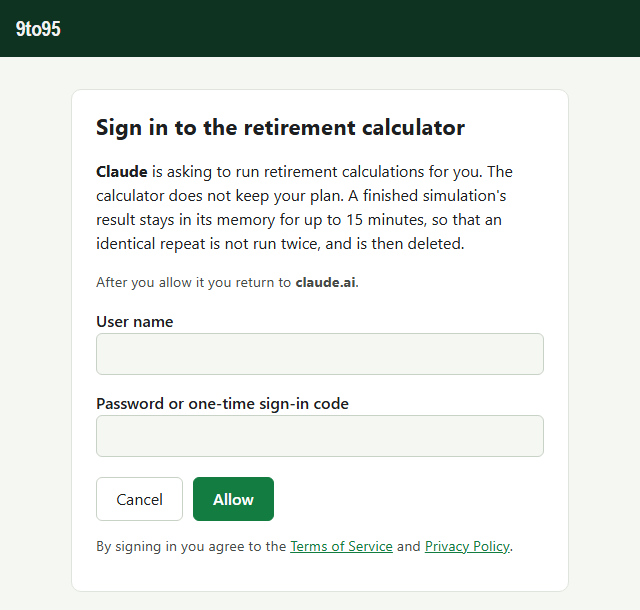
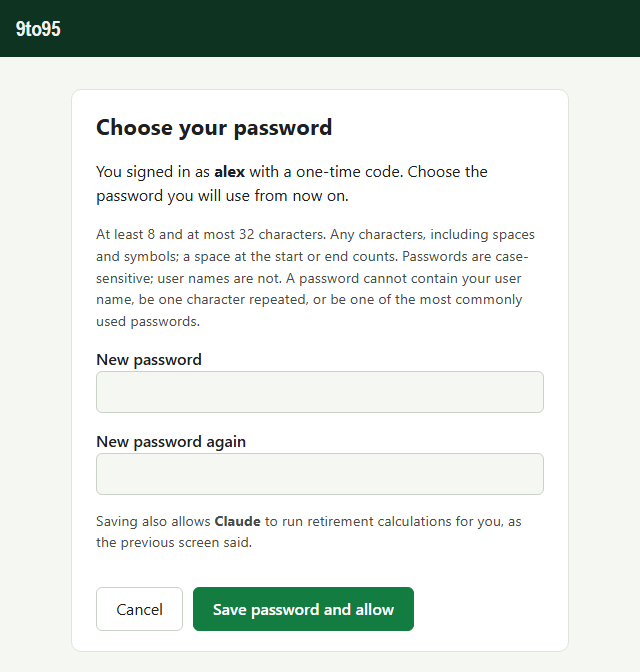
The first time, you sign in with a one-time code, and a second screen asks you to choose your password, twice.
- Start a new chat, type @ and choose 9to95, and ask for a comparison of two retirement plans, say retiring at 62 or at 65. ChatGPT asks about your household and writes a scenario for the calculator.
If ChatGPT says it could not reach 9to95's tools, the sign-in did not quite finish: choose Plugins in ChatGPT's sidebar, choose 9to95 under Installed and then the 9to95 entry under Apps, and sign in again.
One quirk to know: ChatGPT tends to stop a tool call after about 60 seconds. If a long Monte Carlo run times out, ask for 100 trials; fewer trials finish sooner, though they vary more from run to run. Or use the web app, once it is open.
The subscription is managed on this site, not inside ChatGPT.
Once you are connected, the connector cheat sheet (PDF) lists what the calculator does, what its terms mean and starter prompts to paste.
Stuck? Write to support and tell us which assistant you used and roughly when. Please never send your password or a sign-in code.
OpenAI sets these steps and requirements, and they change from time to time. They were correct on ; if a menu has moved, OpenAI's own help has the latest.
Claude is a product of Anthropic, ChatGPT of OpenAI and Gemini of Google. 9to95 is not affiliated with or endorsed by any of them. Screenshots are shown to illustrate the steps.